Sunday School Lesson Generator
Choose an age group and options, then get a ready-to-teach lesson plan with a story, questions, and an activity.
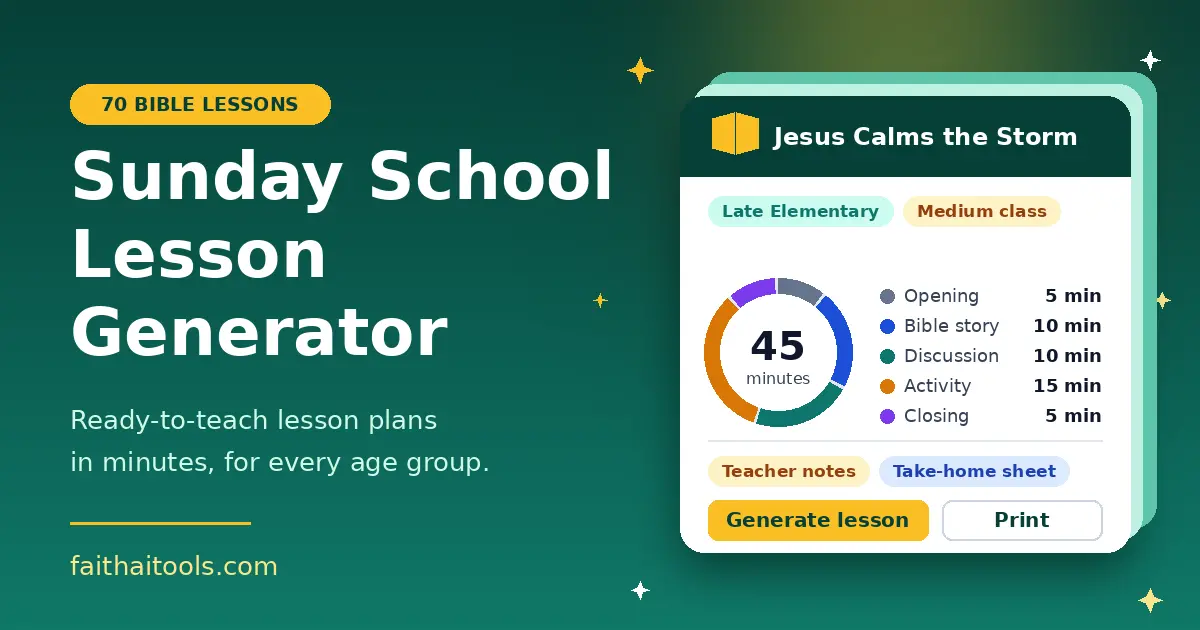
Sunday School Lesson Generator: Ready-to-Teach Lesson Plans in Minutes
Preparing a Sunday School lesson takes more time than most people expect. A teacher must read the Bible passage, understand its background, decide how to tell the story to young children or teenagers, plan discussion questions, and find an activity that fits the room. Many volunteers do all of this in the hour before class. The Sunday School Lesson Generator on FaithAITools helps you build a complete lesson plan in minutes. Choose your age group, class length, and supplies, and the tool gives you a Bible story, discussion questions, an activity, and a take-home sheet from a library of 70 lessons.
How the Sunday School Lesson Generator Works
Start by choosing an age group. The tool offers six groups, from preschool through adults, and it selects a story written for that stage of life. Little Kids stories suit preschool and early elementary classes. Older Kids stories suit late elementary and middle school students. Teens and Adults stories suit high school students and adults.
Next, choose a class length of 30, 45, or 60 minutes. The plan divides the time across the opening, story, discussion, activity, application, and closing, so the lesson fits the clock. Then tell the tool your class size and the supplies you have, such as Bibles, paper and crayons, a whiteboard, or craft supplies. The tool picks an activity that fits those choices. If none fits, it uses a simple discussion activity that needs no supplies.
What Each Lesson Plan Includes
Every plan follows the same order, so you can read it quickly. It begins with an “At a glance” summary that lists the age group, length, class size, Bible passage, and memory verse. Next comes a supplies checklist, so you can prepare before class. The plan then includes the opening, a memory verse card, the Bible story, the central truth, discussion questions, the activity with step-by-step instructions, and an application with a challenge for the coming week. It ends with a closing prayer and a timing breakdown.
Teacher notes are set apart from the rest of the plan and marked for the teacher only. They include background on the passage and practical tips, such as keeping a story gentle for young children. You can turn off the memory verse card, take-home sheet, teacher notes, or prayers if you do not need them.
A Library of 70 Bible Lessons
The lesson library covers seven categories: Old Testament stories, New Testament and the life of Jesus, parables of Jesus, Bible characters, character and virtues, prayer and worship, and holidays and seasons. Lessons include familiar stories such as Noah’s ark, David and Goliath, Daniel in the lions’ den, the Good Samaritan, the Lord’s Prayer, and the birth of Jesus. Others explore less familiar passages, such as the Wise and Foolish Builders and the Widow’s Offering.
Each lesson uses Scripture from the King James Version, which is in the public domain. Every memory verse includes its reference, so you can find it quickly. Before teaching, compare the verse with a trusted reading on Bible.com or BibleGateway.com, both of which offer the King James Version. For deeper study of a passage, Blue Letter Bible provides word studies and commentary.
Find the Right Lesson Quickly
Sometimes you already know which story you need. Use the “Specific lesson” dropdown, which groups lessons by category. If you want a topic instead, type a keyword such as “Daniel,” “forgiveness,” or “prayer.” The keyword search checks each lesson’s title, Bible passage, memory verse reference, and central truth, so a search for a theme often finds the right story.
If you are not sure what to teach, choose “Surprise me.” The tool picks a random lesson that matches your choices. When you want a different story with the same settings, choose “Another lesson.” The tool avoids showing the same lesson twice in a row whenever it has other options.
Practical Tools for Busy Teachers
Once the plan is ready, you can copy it, download it as a text file, or print it. The print option removes the buttons and places the teacher notes and take-home sheet on separate pages, so you can hand out the take-home sheet without the teacher notes. You can also email the plan, share it from a device that supports sharing, or add the lesson to your calendar when you enter a lesson date.
The teacher name, class name, and church name you enter appear on the plan, but this site does not save them. The tool stays simple to use, and your details stay private.
Tips for Teaching With a Generated Plan
A generated plan is a starting point, not a script. Read the passage in your own Bible before class, and let the plan guide you rather than dictate every word. Adjust the story to the children in front of you, and change any question that does not fit your group. If an activity includes food, ask about allergies first. Use the take-home sheet to connect the lesson to home, so parents can talk about the same verse with their children during the week. Finally, pray before class, and ask God to speak through His Word.
Frequently Asked Questions
Do I need an account to use the Sunday School Lesson Generator?
No. Choose your options, click Generate lesson, and use the buttons to copy, print, or save the plan.
Can I change the plan after it is generated?
Yes. The text version is editable. Make your changes there, then copy or download it.
Does the tool work on a phone?
Yes. The form stacks into one column on small screens, and the Share button appears on devices that support sharing.
Are the Bible verses accurate?
The lessons use King James Version text. Always check a verse against your own Bible before you teach it.
Is the tool only for children?
No. The Teens and Adults stories suit high school students and adults, so the tool works for adult classes too.
Can I add a lesson date and time?
Yes. Enter a lesson date and a class start time, and the “Add to calendar” button creates a calendar file with those details.
Start Planning Your Next Lesson
Good teaching begins with good preparation. Try the Sunday School Lesson Generator and build your next lesson in minutes. If you also need to announce a class or event to your church family, our Church Announcement Generator can help you write a clear notice.
